As Amazon Associates, we earn from qualifying purchases. This means we may receive a small commission at no extra cost to you if you click through and make a purchase.
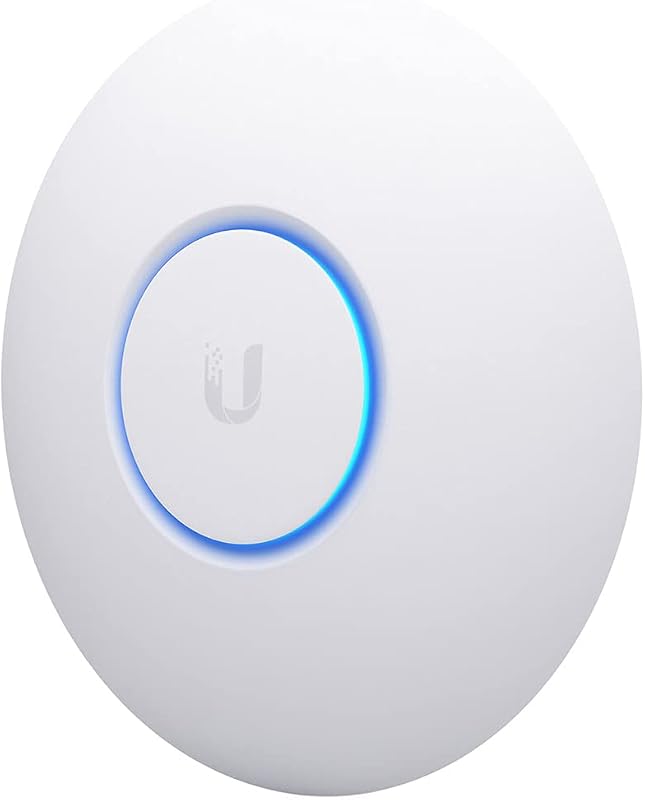
The UniFi U7 Pro XGS is an enterprise-grade, ceiling-mounted tri-band access point engineered by Ubiquiti Networks to bring bleeding-edge wireless infrastructure into high-demand residential environments. Delivering concurrent multi-gigabit operation across 2.4 GHz, 5 GHz, and 6 GHz spectrums, it pairs high-capacity radio design with a dedicated spectral analysis engine and a multi-gigabit Ethernet uplink. If your household is plagued by channel congestion from neighbors, high wireless traffic loads, or high-bandwidth local transfers, this access point establishes rock-solid stability and future-proof bandwidth headroom that consumer wireless gear simply cannot match.
This unit is specifically tailored for tech-forward households operating dozens of connected appliances, streaming hubs, and high-performance gaming rigs that demand low latency and consistent throughput. Families investing in multi-gigabit home internet tiers or building out comprehensive local network storage will benefit immensely from its substantial backhaul capacity. Conversely, casual users living in small apartments, renters unable to run Ethernet through walls or ceilings, or those seeking a simple plug-and-play all-in-one wireless router should look elsewhere, as this device demands dedicated network management hardware and specific power infrastructure.
UniFi U7 Pro XGS at a Glance

| Feature | Specification |
|---|---|
| Wi-Fi Generation | Wi-Fi 7 (802.11be, 802.11ax, 802.11ac) |
| Frequency Spectrum | Tri-Band (2.4 GHz, 5 GHz, 6 GHz) |
| Total Spatial Streams | 8 Streams (2×2 on 2.4 GHz, 4×4 on 5 GHz, 2×2 on 6 GHz) |
| Maximum Data Rates | Up to 8.6 Gbps (5 GHz), 5.8 Gbps (6 GHz), 688 Mbps (2.4 GHz) |
| Antenna Gain | 6 dBi (5 GHz & 6 GHz), 4 dBi (2.4 GHz) |
| Ethernet Uplink | 10 GbE (Supports 10/5/2.5/1 Gbps auto-negotiation) |
| Power Method | PoE++ Required |
| Rated Coverage Area | 160 m² (1,750 ft²) |
| Device Capacity | 500+ Concurrent Connected Clients |
| Dimensions | 215 mm diameter x 32.5 mm height (8.5 x 1.3 inches) |
Wireless Throughput and Wi-Fi 7 Radio Architecture
Modern family homes place severe strains on wireless airtime, with multiple users streaming 4K video, downloading massive system updates, and conducting video calls simultaneously. The wireless architecture of the unifi u7 pro xgs wifi 7 platform addresses this by leveraging the 6 GHz wireless band alongside conventional 5 GHz and 2.4 GHz channels. By supporting ultra-wide 320 MHz channels on 6 GHz and 240 MHz channel widths on 5 GHz, the hardware creates massive highway lanes for compatible client devices. Under peak theoretical signaling, the 5 GHz band achieves up to 8.6 Gbps using a 4×4 MU-MIMO array, while the 6 GHz band delivers up to 5.8 Gbps via its 2×2 radio, preventing data bottlenecks during peak household hours.
Beyond raw bandwidth, the radio design excels at background environmental optimization through an integrated, dedicated spectral scanning radio. In dense suburban neighborhoods or multi-dwelling units, nearby routers constantly interfere with your home network, degrading performance without warning. The dedicated scanning hardware continually audits local radio frequencies without interrupting active client connections, enabling UniFi OS to steer channels proactively. This background monitoring ensures that your essential devices remain on clean spectrum without introducing drops or lag spikes during active gaming sessions or important calls.
Homeowners upgrading from legacy network setups, such as older 802.11ac hardware like the unifi uap ac pro, will notice an immediate difference in both responsive airtime utilization and spectrum efficiency. The physical antenna gain provides 6 dBi across both 5 GHz and 6 GHz, matched with 4 dBi on 2.4 GHz, backed by up to 29 dBm transmit power on 5 GHz. This combination ensures that even when client devices move between rooms, connection stability remains intact. When evaluating the unifi u7 pro xgs specs, it is clear that Ubiquiti engineered the radio chain to deliver balanced coverage rather than just short-range speed spikes.
Network Backhaul and 10 GbE Uplink Capabilities
High wireless speed is meaningless if the physical connection connecting the access point to your home network cannot handle the aggregated traffic. The unifi u7 pro xgs 10gbe uplink solves this traditional limitation by providing a high-speed Ethernet interface supporting 10 Gbps, 5 Gbps, 2.5 Gbps, and 1 Gbps link rates. When multiple users pull high-bitrate data across the 5 GHz and 6 GHz spectrums simultaneously, aggregate wireless throughput quickly exceeds the 1 Gbps ceiling found on standard consumer access points. Having a true 10 GbE wired pipeline ensures that multi-gigabit home fiber connections reach wireless clients without artificial hardware restrictions.
However, delivering this level of enterprise processing and multi-gigabit throughput introduces strict power demands that homeowners must plan for in advance. Reviewing the unifi u7 pro xgs poe requirements reveals that the unit requires a PoE++ power source to operate properly. Standard PoE (802.3af) or PoE+ (802.3at) switches or basic injectors cannot supply the wattage required to drive the 8-stream radio system, the spectral scanning processor, and the 10 GbE interface. Homeowners must ensure their equipment rack features a capable switch, such as the unifi pro max 24 poe, or acquire a dedicated PoE++ injector to supply sufficient power over the Ethernet cable.
The unit features two physical ports, maintaining a streamlined profile designed for clean, structured wiring runs through attics or crawlspaces directly to a central networking cabinet. By combining power delivery and high-capacity backhaul over a single Ethernet run, installation remains visually tidy once the cable has been pulled. For busy households with centralized network-attached storage or multi-gigabit fiber gateways, having 10 GbE infrastructure running straight to your main living space ensures zero data stagnation between local storage backups and client endpoints.
Smart Home Capacity and RF Interference Management
Smart homes create unique network strain: while smart bulbs, security sensors, door locks, and appliances consume minimal data individually, their sheer volume quickly overwhelms standard wireless routers. Deploying the unifi u7 pro xgs smart home setup provides immense stability because the hardware is rated to manage over 500 concurrent connected devices. With support for up to 8 separate BSSIDs per radio, you can isolate low-security internet-of-things devices onto dedicated virtual local networks, keeping family work laptops and personal phones isolated and protected.
The 2.4 GHz spectrum handles the bulk of home automation hardware, and this access point equips that band with a 2×2 MU-MIMO radio delivering up to 688 Mbps over 40 MHz channel widths. The 4 dBi antenna gain and 23 dBm maximum transmit power on 2.4 GHz allow signals to penetrate interior drywall and reach outdoor security cameras or garage sensors reliably. Because smart home sensors broadcast at unpredictable intervals, the unit’s enterprise-grade processor schedules transmission windows efficiently, preventing low-power IoT gadgets from stalling faster Wi-Fi 6 and Wi-Fi 7 smartphones.
Interference management is further enhanced by the hardware’s dedicated spectral radio, which operates around the clock to detect non-Wi-Fi interference, such as microwave ovens, wireless audio systems, and baby monitors. In typical consumer equipment, interference detection forces the access point to take its primary radios offline momentarily, causing visible latency. The dedicated architecture on this unit scans completely out-of-band, giving parents peace of mind that security cameras and critical home sensors will remain online without phantom disconnections.
Coverage Range and Hardware Deployment Considerations
Achieving optimal ubiquiti u7 pro xgs coverage requires careful consideration of physical placement and room layout. The unit is officially rated to cover up to 160 square meters (approximately 1,750 square feet) of space under open floor plan conditions. For standard single-story family homes, mounting the unit centrally to the ceiling provides an even, umbrella-shaped radio footprint that covers primary living spaces, bedrooms, and home offices. In multi-level properties or structures with thick brick or plaster walls, planning for secondary access points across different floors is recommended to maintain top-tier throughput.
Physical construction is robust, featuring a sleek circular housing measuring 215 mm in diameter and 32.5 mm in thickness. Ubiquiti packages the unit with a Lite Mount bracket designed for both ceiling and wall installations. Ceiling orientation remains strongly recommended, as the internal antenna radiation patterns are engineered to project downward and outward across rooms. Wall mounting can work well in specific hallways, but ceiling placement consistently delivers the best multi-room coverage and minimizes physical obstructions from furniture.
Managing and configuring the unifi u7 pro xgs setup takes place through UniFi OS, which provides an intuitive administrative dashboard accessible via web browsers or mobile apps. Initial discovery is straightforward: once the device is connected to a PoE++ network port, the controller discovers the access point and guides you through SSID assignment, security configuration, and radio power allocation. For smaller environments where an 8-stream, 10-gigabit device might exceed physical installation limits or budget constraints, evaluating more compact alternatives like the unifi u7 lite can provide a balanced compromise for secondary rooms.
UniFi U7 Pro XGS Pros and Cons
Pros
- Tri-band Wi-Fi 7 connectivity
- High-speed 10 GbE backhaul uplink
- Dedicated real-time spectral scanning radio
- Supports over 500 concurrent devices
- Up to 1,750 square feet coverage
- Eight total spatial streams
Cons
- Requires PoE++ power infrastructure
- Needs UniFi OS network management
- Includes basic Lite Mount hardware only
Who Should Buy the UniFi U7 Pro XGS
Determining whether this flagship access point matches your home network depends entirely on your existing infrastructure, family device count, and wiring willingness.
Buy It If
- You manage a dense smart home with dozens of connected gadgets, security cameras, and high-bandwidth streaming endpoints.
- You have multi-gigabit internet service and existing PoE++ network infrastructure capable of supplying 10 GbE backhaul.
- You live in an area with severe wireless congestion and require dedicated, real-time spectral scanning to maintain clean channels.
- You want a durable, enterprise-grade ceiling installation that provides future-ready Wi-Fi 7 capabilities for years to come.
Skip It If
- You live in a rental property where drilling ceilings or pulling structured Ethernet cables is not allowed.
- Your network switches only provide basic PoE (802.3af) or PoE+ (802.3at) power without an available PoE++ power injector.
- Your household relies solely on basic internet browsing on a handful of mobile phones and does not require multi-gigabit speeds.
UniFi U7 Pro XGS Alternatives Worth a Look
If your household needs do not align with the power demands or physical mounting requirements of this unit, several alternative access points cater to different deployment scenarios and networking setups.
Ubiquiti UniFi nanoHD Compact 802.11ac
Our score: 8.0/10
The Ubiquiti UniFi nanoHD Compact 802.11ac is an enterprise-oriented access point featuring Wave 2 MU-MIMO technology within a notably smaller physical footprint. It represents a practical choice for shoppers who already operate within the UniFi OS ecosystem but do not need 6 GHz spectrum or multi-gigabit uplink ports. Families seeking a discrete, compact ceiling-mounted solution for secondary bedrooms or smaller floor plans may find this legacy model easier to integrate without upgrading existing power switches.
WiFi 6 Dual Band
Our score: 9.6/10

The WiFi 6 Dual Band Omada AX3000 wireless access point provides dual-band Wi-Fi 6 connectivity, mesh capability, seamless roaming, and WPA3 security management under the Omada platform. It supports power via PoE (compatible with PoE160S and PoE4824G supplies) and also includes a standard DC wall power adapter in the box. Households looking for versatile commercial-grade Wi-Fi 6 performance with flexible power options will appreciate that it does not mandate high-wattage PoE++ switches to function.
Desktop WiFi Bridge
Our score: 8.0/10

The Desktop WiFi Bridge is an AC1200 dual-band wireless gigabit access point equipped with four fixed antennas, MU-MIMO beamforming, and support for multi-SSID and range extender modes. Unlike ceiling-mounted enterprise units, this desktop device is built for quick shelf placement without structural drilling. It is an ideal pick for renters or families seeking a straightforward, localized Wi-Fi bridge or range extender to connect wired entertainment consoles without running permanent network cables through walls.
Final Verdict
When asking whether the unifi u7 pro xgs for home use makes sense, the answer comes down to capacity requirements and infrastructure readiness. For families pushing the boundaries of modern network usage—simultaneous 4K streaming, massive file transfers, cloud backups, and hundreds of smart sensors—this access point delivers exceptional stability. Its 8 spatial streams, expansive tri-band radio design, and out-of-band spectral scanning radio work harmoniously to keep wireless airtime efficient, responsive, and completely free from common neighborhood congestion.
So, is unifi u7 pro xgs worth it for your household? If you have already laid the groundwork with multi-gigabit switches and PoE++ power delivery, it represents one of the most capable, durable, and future-proof networking investments you can mount to your ceiling. However, if your home cannot support PoE++ cabling or you do not plan to leverage high-bandwidth local connections, the extra hardware requirements may prove excessive. For tech-forward homes demanding uninterrupted performance under heavy loads, this access point sets an outstanding benchmark.
FAQ
What power source does the UniFi U7 Pro XGS require?
The UniFi U7 Pro XGS requires a PoE++ power source to operate. Standard PoE (802.3af) or PoE+ (802.3at) ports cannot supply sufficient power to drive its multi-gigabit processing, spectral scanning radio, and high-performance tri-band radios. You must connect it to a PoE++ capable network switch or an appropriate PoE++ inline injector.
How much square footage does the access point cover?
The access point is rated to cover up to 160 square meters, which translates to approximately 1,750 square feet. Actual real-world coverage depends on interior wall construction, ceiling height, and room layout, with open-concept floor plans achieving the best reach.
Can the access point operate as a standalone router?
No, the access point is a dedicated wireless distribution device and does not function as a standalone router or modem. It must be connected to an existing wired local network managed by a router, gateway, and UniFi OS controller to handle routing, DHCP addressing, and firewall functions.
Why does this access point include a 10 GbE uplink port?
The 10 GbE uplink port prevents physical network bottlenecks. Because the combined theoretical wireless bandwidth across the 2.4 GHz, 5 GHz, and 6 GHz radios easily exceeds 1 Gbps, a multi-gigabit wired backhaul ensures that traffic moving between wireless devices and your local network or high-speed internet connection flows without restriction.
How many wireless devices can connect simultaneously?
The hardware is officially rated to support over 500 concurrent client devices. This high capacity makes it suitable for smart homes saturated with IoT gadgets, home automation hubs, wireless cameras, laptops, and mobile phones operating on the same network footprint.


