As Amazon Associates, we earn from qualifying purchases. This means we may receive a small commission at no extra cost to you if you click through and make a purchase.
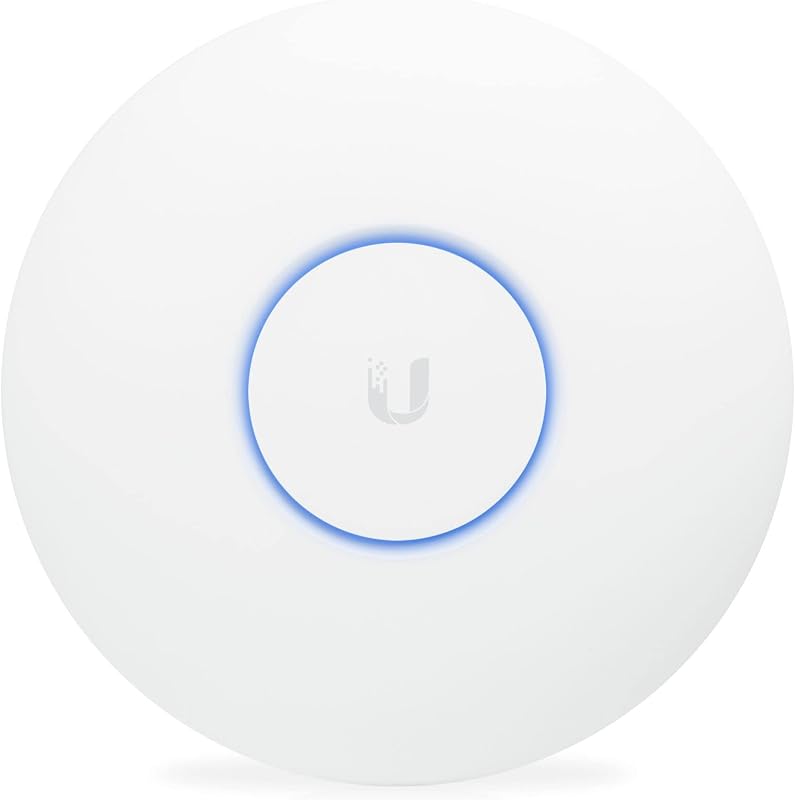
The Ubiquiti UniFi UAP-AC-PRO is an enterprise-grade dual-band wireless access point built to deliver stable, high-throughput network connectivity across dense, high-demand environments. While traditional consumer networking hardware often combines a modem, router, and wireless transmitter into a single plastic chassis that can struggle under constant domestic traffic, this dedicated access point focuses entirely on broadcasting reliable wireless signals. Operating on the Wi-Fi 5 (802.11ac) standard with simultaneous dual-band support and a 3×3 radio architecture, it offers a battle-tested foundation for families seeking consistent wireless performance across every room.
This access point is ideally suited for busy households with dozens of connected gadgets, property owners who require flexible outdoor installation options on covered patios or exterior walls, and home networkers who appreciate centralized software control. However, those seeking an effortless plug-and-play replacement for an existing all-in-one wireless unit without running Ethernet cables, or tech enthusiasts looking for the bleeding-edge multi-gigabit throughput of Wi-Fi 6E or Wi-Fi 7, will want to consider alternative hardware.
Ubiquiti UniFi UAP-AC-PRO at a Glance
| Feature | Specification |
|---|---|
| Wireless Generation | Wi-Fi 5 (802.11ac) |
| Frequency Band Class | Simultaneous Dual-Band (2.4 GHz and 5 GHz) |
| 5 GHz Speed Capability | Up to 1300 Mbps (3×3 MIMO) |
| 2.4 GHz Speed Capability | Up to 450 Mbps (3×3 MIMO) |
| Antenna Configuration | 6 Internal Antennas (3 dBi gain, 22 dBm power) |
| Maximum Stated Range | Up to 122 meters (listing specification) |
| Port Architecture | 3 Ports (Includes 2 Gigabit Ethernet LAN ports) |
| Power Method | 48V Power over Ethernet (PoE adapter included) |
| Deployment Rating | Weatherproof for Indoor or Outdoor AP Installation |
| Management Platform | UniFi OS / UniFi Controller Software |
Hardware Durability and Weatherproof Deployment
Physical longevity is a primary concern for families investing in dedicated network infrastructure. The Ubiquiti UniFi UAP-AC-PRO distinguishes itself from standard domestic networking gear through its rugged, sealed industrial housing. Certified as an indoor and outdoor AP, this unit is engineered with weatherproof seals that protect its internal radios and circuitry from fluctuating temperatures, moisture, and dust. For households seeking reliable outdoor coverage across a backyard deck, detached garage, pool area, or covered patio, this weather-resistant build eliminates the need for clumsy secondary enclosures.
From an unifi access point long term review viewpoint, the mechanical build quality plays a pivotal role in maintaining uninterrupted service year after year. Typical residential routers feature external plastic antennas that loosen over time and internal components that suffer under thermal stress inside cramped enclosures. In contrast, this unit integrates its six antennas entirely within a discreet, disc-shaped chassis that dissipates heat evenly across its surface. When mounted high on a ceiling or an exterior soffit, it stays completely out of reach of children and pets, minimizing physical accidents that often disable standard tabletop equipment.
Outdoor installation requires basic planning regarding cable management and moisture exposure. Because the unit is weatherproof rather than fully submersible, outdoor placement should ideally be under an eave, overhang, or covered structure to prevent direct driving rain from pooling around the rubberized cable grommets. Integrating this durable access point with outdoor security equipment, such as an exterior smart doorbell like the unifi g4 doorbell pro, ensures that front-line perimeter devices maintain strong, dependable signal connections without the dropouts common to indoor-only consumer routers.
Network Speed and Multi-Device Household Handling
Modern homes place unprecedented demands on local networks, with dozens of active devices competing for airtime simultaneously. Evaluating the unifi uap ac pro specs reveals a dual-band system powered by 3×3 Multiple-Input Multiple-Output (MIMO) technology across both frequency bands. On the 5 GHz band, the access point provides transfer rates of up to 1300 Mbps, while the 2.4 GHz band provides up to 450 Mbps, delivering a cumulative maximum bandwidth of 1750 Mbps. This 3×3 radio architecture allows the unit to communicate across three independent spatial streams, offering greater capacity for multi-antenna laptops and workstations compared to common entry-level 2×2 access points.
In terms of unifi uap ac pro speed during typical family routines, the hardware easily balances high-bandwidth activities alongside everyday smart home telemetry. A household can run simultaneous 4K video streams on a smart television, host interactive online gaming sessions on a gaming console, participate in high-definition video conferences on a personal computer, and sustain hundreds of background requests from smart thermostats, smart printers, and mobile devices without congestion bottlenecks. The inclusion of two gigabit LAN ports allows for high-throughput wired backhaul, ensuring that wireless data is bridged directly onto the local area network without artificial choke points.
While the underlying 802.11ac protocol represents Wi-Fi 5 rather than the newest wireless protocols, it remains more than sufficient for the overwhelming majority of residential broadband connections. Buyers who require cutting-edge client speeds for specialized workloads or future-proofing might investigate newer hardware generations such as the unifi u7 lite, but for standard household streaming, remote working, and web browsing, the mature Wi-Fi 5 radio in this unit provides reliable, jitter-free performance across legacy and modern devices alike.
Ubiquiti UAP-AC-PRO Range and Signal Coverage
Signal dead spots are one of the most frustrating aspects of domestic networking, especially in multi-story houses or homes with dense construction materials. The listing specifies an expansive ubiquiti uap ac pro range of up to 122 meters under optimal operating conditions. This expansive reach is generated by six internal antennas delivering 3 dBi antenna gain and a strong 22 dBm radio transmit power. Because the internal antenna arrays are engineered to project a toroidal (donut-shaped) radiation pattern when ceiling-mounted, the unit blankets broad horizontal spaces below and around its installation point.
Deploying the unifi uap ac pro for home use allows property owners to eliminate the weak zones that plague central router deployments. By mounting the access point in a central hallway, stairwell, or living area, signals penetrate standard drywall and flooring far more effectively than a router tucked away inside a media cabinet or behind a television stand. The seamless roaming capabilities managed by the underlying UniFi OS ensure that as family members move from room to room with smartphones or tablets, their devices smoothly transition between access points without dropping calls or buffering video playback.
In larger estates or multi-level dwellings, achieving comprehensive coverage often requires deploying multiple access points connected back to a unified backbone. The secondary gigabit Ethernet port on the device provides convenient bridging capabilities, allowing users to daisy-chain a secondary network device or access point without pulling an entirely separate Ethernet run through finished walls. This architectural flexibility guarantees that even expansive homes with challenging floor plans can achieve uniform wireless signal strength from the basement to the backyard patio.
Power over Ethernet and UniFi Controller Setup
Unlike standard domestic consumer electronics that depend on a bulky wall-wart transformer plugged into an adjacent electrical socket, this unit relies entirely on Power over Ethernet (PoE). Understanding the uap ac pro poe requirements is straightforward: the device operates on 48 volts of passive or active PoE power. Ubiquiti includes a dedicated 48V PoE injector inside the box, meaning you do not need to invest in specialized enterprise switching gear just to power the hardware. A single Category 5e or Category 6 Ethernet cable carries both operational electrical power and gigabit data directly to the unit, simplifying clean installations on ceilings or high walls far away from power outlets.
For larger home network installations with extensive hardwired hardware, the access point can be powered directly from a dedicated network switch such as the unifi pro max 24 poe, which consolidates multiple PoE lines into a clean central rack or media cabinet. This architectural approach keeps unsightly cabling concealed and allows the entire network infrastructure to be connected to an uninterruptible power supply (UPS) in a utility closet, ensuring that wireless internet access remains live during brief electrical outages.
Managing the access point requires a slightly different approach than typical home routers. The uap ac pro setup is orchestrated through the UniFi Controller software, which can be installed on any local personal computer running Windows, macOS, or Linux, or managed remotely via UniFi OS in a standard web browser. While there is a brief learning curve for users accustomed to simple consumer web interfaces, the UniFi controller provides powerful visibility into connected client devices, bandwidth utilization, channel optimization, and guest network isolation secured by WPA2-PSK protocols.
Ubiquiti UniFi UAP-AC-PRO Pros and Cons
Pros
- Durable weatherproof build for indoor or outdoor mounting
- Simultaneous dual-band 3×3 MIMO with 1300 Mbps capability
- Includes dedicated 48V Power over Ethernet adapter
- Expansive 122-meter maximum coverage range
- Centralized management via UniFi OS controller software
- Two Gigabit Ethernet ports for wired data bridging
Cons
- Wi-Fi 5 standard instead of newer Wi-Fi 6 or 7
- Requires running Ethernet cable and basic controller setup
- Supports WPA2-PSK rather than newer WPA3 security
Who Should Buy the Ubiquiti UniFi UAP-AC-PRO
Buy It If
- You need a durable, weatherproof access point that can be deployed outdoors on a patio or under an eave just as easily as on an indoor ceiling.
- You want a stable 3×3 MIMO wireless system capable of handling multiple simultaneous video streams, gaming consoles, and dozens of smart home accessories without crashing.
- You prefer clean, professional ceiling or wall mounting powered entirely by a single Ethernet cable using the included 48V PoE injector.
- You value centralized management through UniFi OS software to monitor client health, isolate guest traffic, and scale your network over time.
Skip It If
- You want a quick, zero-configuration consumer router that sets up in two minutes without running network cables or using controller software.
- Your household requires the absolute fastest multi-gigabit throughput offered by newer Wi-Fi 6, 6E, or Wi-Fi 7 standards.
- You do not have the ability or desire to run physical Ethernet cables through your walls or ceilings to deliver PoE power.
Ubiquiti UniFi UAP-AC-PRO Alternatives Worth a Look
If your household networking requirements lean toward cutting-edge wireless protocols, simple desktop placement, or entry-level standalone router hardware, several compelling alternatives exist within the same networking space.
WiFi 7 Dual Band
4.1 out of 5, average from Amazon buyers

The WiFi 7 Dual Band wireless access point represents a modern leap in wireless standards, boasting BE5000 speed ratings, a high-speed 2.5G Ethernet port, and Omada centralized management. Backed by a 5-year warranty, WPA3 encryption, and mesh roaming capabilities, this access point is powered via PoE or an included DC adapter. It is the superior pick for advanced power users and tech-forward households who possess multi-gigabit broadband tiers and want modern Wi-Fi 7 capabilities.
Desktop WiFi Bridge
4.0 out of 5, average from Amazon buyers

For buyers who want an access point without drilling holes in ceilings or threading cables through attics, the Desktop WiFi Bridge provides a convenient shelf-mounted form factor. Featuring an AC1200 dual-band rating, MU-MIMO, beamforming, four fixed external antennas, and support for multi-SSID and client range extender modes, this TP-Link TL-WA1201 unit is ideal for renters or budget-conscious families seeking quick, localized wireless expansion on a desk or media console.
4 x 10 100 Mbps
4.4 out of 5, average from Amazon buyers
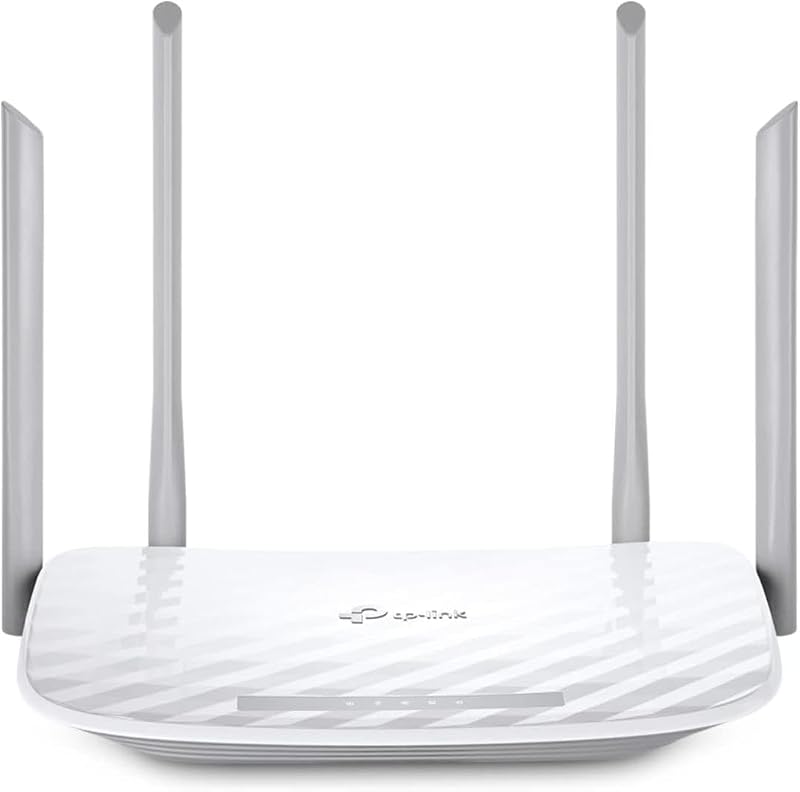
The 4 x 10 100 Mbps unit (TP-Link Archer A54) is a standalone AC1200 dual-band wireless internet router designed for basic home connectivity. Offering four Fast Ethernet ports, EasyMesh compatibility, access point operating mode, IPv6, and integrated parental controls, this compact router suits small apartments or modest broadband plans where an enterprise-grade PoE ecosystem is unnecessary.
Final Verdict
When asking whether the is unifi uap ac pro worth it for modern domestic networking, the answer comes down to hardware reliability versus protocol age. While consumer networking companies constantly release flashy new router models that promise astronomical peak theoretical speeds, the real-world frustration for most busy families stems from dropped connections, frozen smart home devices, and constant manual hardware reboots. This access point bypasses those frustrations completely by delivering rock-solid enterprise stability, dedicated 3×3 MIMO spatial streams, and industrial-grade construction that stands the test of time.
If you are willing to run an Ethernet cable to an optimal ceiling or outdoor location and spend a few minutes configuring the UniFi controller software, the Ubiquiti UniFi UAP-AC-PRO rewards you with a seamless, set-and-forget wireless network. Its weatherproof flexibility, included PoE injector, and dual gigabit LAN ports make it an exceptional value for families seeking durable, uninterrupted whole-home Wi-Fi coverage that just works day in and day out.
FAQ
Is the UniFi UAP-AC-PRO suitable for outdoor installation?
Yes. The product listing designates the unit as an indoor and outdoor AP with weatherproof characteristics. While it should not be submerged in water or placed where rain pools directly, mounting it under an eave, overhang, or covered patio provides robust protection against moisture, dust, and temperature variations.
What are the UAP-AC-PRO PoE requirements to power the unit?
The access point operates on 48 volts of Power over Ethernet (PoE). Ubiquiti includes a dedicated 48V PoE adapter inside the packaging, allowing you to supply both electrical power and gigabit data over a single standard Ethernet cable without buying an expensive PoE switch.
How does the UniFi UAP-AC-PRO setup process work for a home network?
Unlike standard consumer routers that host an onboard web page at a default IP address, this access point is configured using Ubiquiti’s UniFi controller software. You install this software on a personal computer connected to your home network or manage it remotely via a web browser under UniFi OS to discover the unit, set wireless network names (SSIDs), configure security keys, and manage radio frequencies.
What speeds can you expect from the UniFi UAP-AC-PRO in daily household use?
The access point supports maximum theoretical data transfer rates of up to 1300 Mbps on the 5 GHz band and up to 450 Mbps on the 2.4 GHz band. In real-world family environments, actual throughput depends on distance, wall construction, and client device antenna configurations, but it comfortably handles simultaneous 4K streaming, gaming, video conferencing, and dozens of smart home devices.
Is the UniFi UAP-AC-PRO worth it compared to newer Wi-Fi generations?
For families who prioritize hardware durability, wide signal coverage, and rock-solid network uptime over chasing multi-gigabit wireless numbers, the access point remains an outstanding investment. While it operates on Wi-Fi 5 (802.11ac) rather than Wi-Fi 6 or 7, its 3×3 MIMO radio design and enterprise stability easily manage high-density residential bandwidth needs.


