As Amazon Associates, we earn from qualifying purchases. This means we may receive a small commission at no extra cost to you if you click through and make a purchase.
The Creality Falcon A1 is a fully enclosed 10W diode machine engineered to bring dependable cutting and engraving into domestic living spaces without the hazards of open-frame designs. In this creality falcon a1 review, our assessment shows that it represents a significant leap forward for residential makers, pairing high-speed CoreXY mechanics with Class 1 laser safety to deliver a clean, approachable crafting workstation right out of the box.
This desktop engraver is tailored for family households, craft businesses, and hobbyists who require reliable safety enclosures and zero mechanical assembly. On the other hand, commercial production facilities needing pass-through slots for oversized lumber or artisans focused exclusively on reflective mirror engraving will find this hardware too restrictive for their specific requirements.
Creality Falcon A1 at a Glance

| Feature | Specification |
|---|---|
| Laser Classification | Class 1 fully enclosed |
| Laser Power Rating | 10W optical output (80W total power consumption) |
| Motion Architecture | CoreXY motion system |
| Maximum Working Speed | Up to 600 mm/s |
| Engraving Precision | 0.05 mm accuracy |
| Visual Alignment | Built-in HD camera with smart material recognition |
| Enclosure Design | Double-door access with transparent top and side panels |
| Assembly Requirement | Pre-assembled, ready to use out of the box |
| Machine Dimensions | 30 x 25 x 15 inches |
| Machine Weight | 28.7 pounds |
| Compatible Software | Falcon Design Space, LightBurn, LaserGRBL |
Enclosed Class 1 Laser Safety for Home Workspaces
When selecting a falcon laser engraver for home use, workspace safety remains the single most critical factor for families and casual crafters. The Creality Falcon A1 addresses this directly with a certified Class 1 laser enclosure, which is the safest standard classification for consumer equipment. By enclosing the beam within a sealed chamber, the machine prevents accidental human contact with invisible high-energy laser radiation, making it substantially safer for homes with curious children or pets than hazardous open-gantry alternatives.
A core element of this creality falcon laser safety framework is the specially engineered filtration paneling. The listing confirms that the transparent top and side panels block 99% of harmful laser light. This filtration eliminates the mandatory requirement for protective eyewear during standard operation, allowing makers to observe projects through the viewing window in real time. For parents supervising young makers, being able to monitor progress without constantly adjusting dark safety goggles makes crafting both educational and stress-free.
Beyond light protection, this creality falcon enclosed laser cutter creates a self-contained environment that actively traps airborne debris and dampens acoustic resonance. Diode lasers naturally generate vaporized fumes and distinct humming frequencies when processing organic fibers or dark acrylic sheets. By sealing these byproducts within the 30 x 25 x 15-inch chassis, the machine keeps fumes localized for orderly exhaust management and noticeably lowers ambient operating noise during lengthy engraving runs.
Camera Alignment and Falcon A1 10W Laser Engraver Setup
Setting up traditional DIY laser cutters has historically been an exercise in frustration, often requiring hours of structural squaring, belt tensioning, and wiring harness management. The falcon a1 10w laser engraver setup eliminates this barrier completely by arriving pre-assembled and ready to run straight out of the box. Users need only remove the exterior packaging, connect power, and link their computer to commence their initial design tests, saving valuable hours that would otherwise be spent troubleshooting mechanical alignment.
Workflow precision is handled by an integrated overhead HD camera that continuously scans the internal workspace. This camera provides automatic material positioning and smart recognition inside the control software, capturing a top-down view of whatever substrate you place on the bed. Crafters who previously struggled with manual laser offsets or costly trial runs on scrap stock can place complex designs directly over small offcuts or pre-shaped wooden blanks with high visual confidence, a significant step up in convenience compared to older entry-level units like the creality falcon 5w laser engraver.
Software versatility ensures that the machine supports users at every skill tier. Novices can utilize the proprietary Falcon Design Space application, which offers an approachable canvas for importing vector graphics, adjusting scale, and tracking progress in real time. For advanced users managing intricate parameter matrices, the machine retains complete operational compatibility with industry-standard software packages, including LightBurn and LaserGRBL, allowing veteran makers to execute multi-layered projects without sacrificing their preferred toolchains.
Engraving Precision, Speed, and Motion Mechanics
Beneath the protective housing, the machine runs on a high-speed CoreXY kinematic system designed to keep movement stable across long production sessions. By distributing motor loads across synchronized belts, the CoreXY architecture enables engraving speeds reaching up to 600 mm/s without inducing visible frame deflection. Rapid acceleration and deceleration allow hobbyists to execute complex graphic fills in a fraction of the time demanded by conventional Cartesian laser setups.
Speed does not come at the expense of output fidelity. According to the falcon laser engraver specs, the Falcon A1 achieves an engraving precision of 0.05 mm, which is fine enough to produce high-density photorealistic burns, micro-typography, and crisp geometric vector linework. Whether engraving detailed portraiture into birch plywood or marking serialized graphics on coated metallic tags, the system consistently preserves clean line definition and sharp edge transitions across intricate vectors.
The structural rigidity of the 28.7-pound frame directly reinforces this mechanical accuracy. When the laser head darts across the bed at maximum velocity, the sturdy chassis absorbs kinetic energy to prevent the ghosting or jitter artifacts that often plague lighter, modular frames. Crafters evaluating the dedicated creality falcon a1 10w architecture will appreciate that this structural mass ensures consistent focal consistency across broad projects.
Material Capabilities, Wood Cutting, and Hardware Boundaries
Equipped with an 80W total power output delivering 10W of concentrated optical laser power, this machine handles standard hobby substrates with repeatable results. For creators focused on creality falcon a1 wood cutting, the diode wavelength slices smoothly through thin natural wood sheets, basswood, craft plywood, leather, and dark acrylics. The high-energy optical focus cleanly vaporizes cellular structures, yielding dark, contrasting burn marks on decorative plaques, personalized coasters, and layered holiday ornaments.
Physical access within the machine is streamlined by an ergonomic double-door structure complemented by specialized side openings. This multi-point opening system makes loading and unloading bulky stock straightforward, eliminating the awkward contortions often required when servicing top-loading desktop units. The transparent windows along the sides and lid keep the entire focal bed illuminated, giving you a clear view of how different woods react to varying power parameters.
Prospective buyers must, however, understand the specific structural and optical boundaries outlined in the official product data:
- Honeycomb Panel Sizing: The chassis is strictly engineered to fit 460 x 346mm (18.11 x 13.62 inches) honeycomb panels, meaning non-standard aftermarket grates will not seat properly inside the floor channels.
- Reflective Material Prohibition: The listing strictly prohibits processing highly reflective substrates, explicitly warning against mirror-finished metals and mirrored acrylics due to the dangerous risk of optical beam deflection.
- Enclosure Clearance: The internal envelope is confined by the 30 x 25 x 15-inch exterior dimensions, lacking an open pass-through slot for endless sheet feeding or processing long architectural planks.
Creality Falcon A1 Pros and Cons
Pros
- Certified Class 1 fully enclosed safety
- Pre-assembled with zero mechanical setup needed
- HD camera auto-positioning and material recognition
- Fast CoreXY motion up to 600mm/s
- High engraving precision down to 0.05mm
- Light-blocking panels eliminate mandatory safety goggles
Cons
- Strictly prohibited from engraving highly reflective materials
- Only compatible with 460x346mm honeycomb panels
- No open pass-through for oversized lumber
Who Should Buy the Creality Falcon A1
Buy It If
- You need a certified Class 1 enclosed engraver that eliminates the mandatory requirement for safety goggles in a family environment.
- You want a completely pre-assembled, ready-to-run setup that bypasses complex gantry alignments and mechanical calibration.
- You rely on visual camera alignment and smart material recognition to position graphics precisely over irregular offcuts.
- You want rapid 600 mm/s CoreXY movement paired with fine 0.05 mm line precision for detailed decorative craft projects.
Skip It If
- Your primary crafting workflow involves cutting or engraving highly reflective mirrored acrylics or mirror-finished metals.
- You require an open pass-through chassis capable of feeding continuous sheets or oversized furniture components beyond the enclosure walls.
- You already own non-standard honeycomb panels that do not conform to the required 460 x 346mm operational footprint.
Creality Falcon A1 Alternatives Worth a Look
While the Falcon A1 provides an impressive balance of safety and plug-and-play operation, reviewing competing options helps pinpoint whether its distinct layout matches your workshop priorities.
xTool M2 10W Laser Engraver
4.0 out of 5, average from Amazon buyers

The xTool M2 10W Laser Engraver represents a direct rival in the enclosed diode space, featuring built-in dual cameras and a certified Class 1 safety housing built for DIY crafts across wood, leather, felt, fabric, and paper. In evaluating the falcon laser engraver vs xtool, crafters who value dual-lens overhead vision for expanded alignment perspectives will find the M2 a compelling platform, particularly if they are also comparing stepped-up platforms like the xtool m2 20w line for higher-volume crafting.
130 x 130mm Working Area
4.1 out of 5, average from Amazon buyers

The 130 x 130mm Working Area ACMER S1 is an ultra-compact desktop laser cutter featuring a modest 2500mW laser designed strictly for small DIY crafts and micro projects. Makers working with severely restricted desk space who only need to engrave small jewelry items or miniature wooden tags should consider this scaled-down alternative over the significantly larger Falcon A1 footprint.
Laser Cutter
4.6 out of 5, average from Amazon buyers
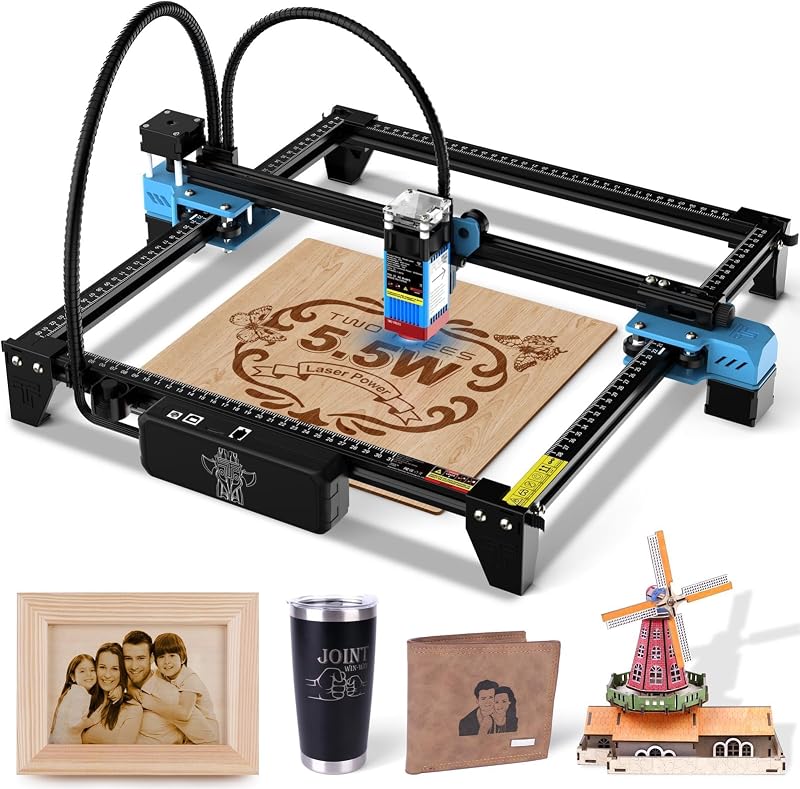
The Laser Cutter Twotrees TTS-55 Pro is an open-frame 5500mW desktop unit offering a 300 x 300 mm work area and an ultra-fine 0.08mm laser spot for processing wood, metal, acrylic, and glass. Crafters who prioritize a traditional exposed gantry architecture for manually repositioning oversized components—and who are comfortable wearing protective eye goggles in a dedicated workshop—may lean toward this open design.
Final Verdict
So, is falcon laser engraver worth it for home crafting? For households, schools, and independent makers seeking a dependable, family-friendly tool, the answer is a decisive yes. By merging Class 1 optical safety with 99% light-filtering panels, a sealed fume chamber, and an out-of-the-box pre-assembled chassis, Creality has removed the intimidating setup hurdles and physical risks that have long plagued desktop laser crafting.
While its lack of support for mirrored materials and its strict adherence to a 460 x 346mm honeycomb dimension require thoughtful planning, its 600 mm/s CoreXY speed, 0.05 mm precision, and intelligent camera alignment provide immense long-term value. The Falcon A1 establishes an approachable, protective standard for creators who value domestic peace of mind alongside professional-grade engraving fidelity.
FAQ
Does the Creality Falcon A1 require assembly before the first project?
No, the Creality Falcon A1 comes pre-assembled from the manufacturer. You do not need to assemble the motion gantries, tension drive belts, or route internal electronics, allowing you to begin engraving shortly after unboxing and connecting software.
Can I engrave mirror surfaces with the Falcon A1?
No, the product listing strictly prohibits engraving highly reflective materials, including mirror-finished metals and mirrored acrylics. These surfaces can bounce the concentrated diode laser beam away from the target, potentially damaging the machine interior or compromising optical integrity.
Do I need to wear laser safety goggles while running this machine?
Under normal operation, you do not need safety goggles. The fully enclosed Class 1 protective body features filtered transparent top and side panels that block 99% of laser light, protecting your eyes while enabling real-time visual project inspection.
What software programs work with the Creality Falcon A1?
The machine operates using Creality’s proprietary Falcon Design Space software, which offers beginner-friendly material recognition tools. Additionally, it remains fully compatible with popular third-party engraving suites such as LightBurn and LaserGRBL for advanced vector control.
What size honeycomb bed fits inside the Falcon A1 enclosure?
According to manufacturer specifications, the Falcon A1 is exclusively compatible with 460 x 346mm (18.11 x 13.62 inches) honeycomb panels. Other dimensions will not properly integrate with the interior floor channels.