As Amazon Associates, we earn from qualifying purchases. This means we may receive a small commission at no extra cost to you if you click through and make a purchase.
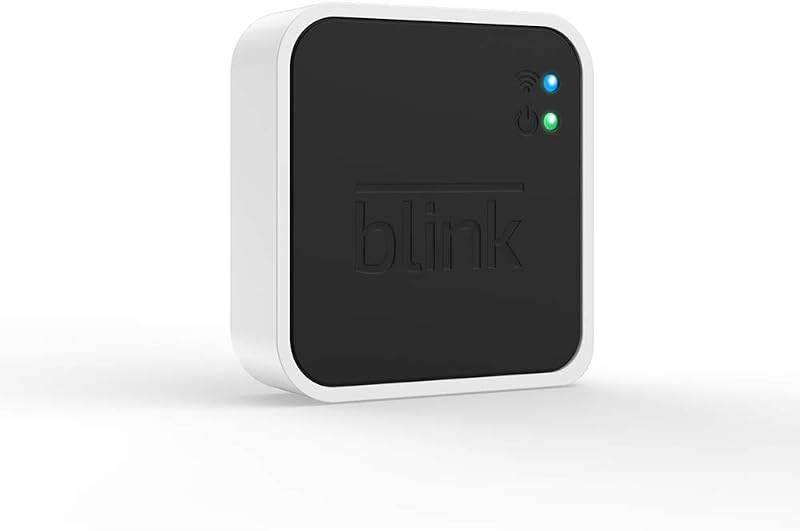
The Blink Sync Module 2 serves as the central hardware bridge for homeowners seeking dependable local control over their residential camera network. By enabling local clip retention without mandatory monthly fees, this compact hub allows family households to build an effective, scalable home security perimeter while eliminating recurring operational overhead.
This system is ideal for cost-conscious families, suburban homeowners, and landlords operating compatible Blink cameras who want straightforward, subscription-free video management right from their smartphones. Shoppers who require continuous twenty-four-seven surveillance recording, direct live view capture, or local storage functionality for older legacy camera generations will need to look toward dedicated wired commercial platforms instead.
Blink Sync Module 2 at a Glance
| Attribute | Detail |
|---|---|
| Maximum Connected Devices | Up to 10 Blink devices per module |
| Supported System Devices | Blink Indoor, Blink Outdoor, Video Doorbell, Blink Mini, XT2, XT |
| Local Video Storage Compatibility | Blink Indoor, Blink Outdoor, Video Doorbell, Blink Mini |
| Incompatible Local Storage Models | Blink XT2, XT, and 1st generation Indoor cameras |
| Removable Storage Support | USB flash drive up to 256 GB (sold separately) |
| Live View Recording | Not supported |
| Recurring Monthly Fees | None required for local storage operation |
| Footage Access Methods | Blink Home Monitor app or direct computer playback via USB |
Local Video Storage and Cloud Subscription Elimination
Recurring service fees represent one of the most frustrating aspects of modern residential security. When evaluating the Blink Sync Module 2 vs cloud subscription models, the primary advantage is financial autonomy. With blink sync module 2 local storage, homeowners insert a standard USB flash drive directly into the hub to capture motion-triggered events. The listing confirms that no monthly fees are required to use local video storage functionality, providing an immediate path to long-term savings for busy family budgets where software subscriptions quickly compound over time.
Understanding how the hardware handles daily alerts is essential for setting realistic expectations. When an enabled camera detects movement, it transmits the recorded event across the local wireless network directly to the hub, which commits the file to your physical drive. It is critical to note that while the unit handles motion alerts effortlessly, it does not support live view recording. If you drop in on a real-time feed to check on pets or children playing in the backyard, that specific live session is not preserved to your storage media.
For households that prioritize physical data ownership over remote server hosting, pairing your hardware with a reliable blink sync module configuration ensures that your private family footage remains stored within your own physical walls. Having a localized repository for motion clips means you never have to worry about cloud storage tiers expiring or unexpected policy changes impacting your access to critical home security recordings.
System Capacity and Multi-Camera Management
Managing an active household requires comprehensive coverage across entryways, backyards, garages, and indoor hallways. The Blink Sync Module 2 functions as a central command hub, connecting up to 10 of any Blink Indoor, Blink Outdoor, XT2, XT, Video Doorbell, and Blink Mini devices. Consolidating all connected units inside the unified Blink Home Monitor app simplifies daily operation, allowing parents to arm perimeter zones or check hallway cameras without constantly switching between fragmented device menus.
Deploying the Blink Sync Module 2 for outdoor cameras is particularly beneficial when securing expansive property boundaries. Integrating your system with a comprehensive perimeter layout, such as a blink video doorbell + outdoor 4 xr – wireless smart security cameras, two-year battery life, go up setup, allows the sync module to coordinate alerts across both front porch entryways and high-traffic perimeter fences simultaneously. While the compact Blink Mini does not strictly require a module simply to deliver real-time notifications, incorporating the hub into your home network is necessary if you intend to record and retain motion clips from that camera locally.
Hardware compatibility requires careful attention before purchasing. While older hardware such as the Blink XT, XT2, and 1st generation Indoor cameras can link to the module for basic system control, local video storage functionality is not compatible with Blink XT2, XT, and 1st generation Indoor cameras. Families expanding an existing legacy setup must keep this hardware boundary in mind to ensure their primary outdoor and indoor cameras support direct-to-drive clip archiving.
USB Compatibility and Media Management
Physical storage flexibility is a major operational strength of the module. The listing notes that the unit accepts a USB flash drive up to 256 GB, which is sold separately. Adhering to the specified Blink Sync Module 2 flash drive size ensures seamless file writing and long-term system stability. Because the unit accepts widely available thumb drives, users can easily select the drive capacity that aligns with their recording habits and motion frequency.
Clip retrieval is designed with family convenience in mind. Users can view, share, and download locally stored motion alerts directly through the Blink Home Monitor app on a mobile device at any time, provided the module remains connected to the home network. Alternatively, you can unplug the flash drive and insert it directly into a desktop or laptop computer to review, organize, and permanently archive security video files. This dual-access structure is invaluable for family members who need to provide archived files to neighbors or local authorities without navigating complex cloud export menus.
Maintaining solid wireless throughput between the module, your primary internet router, and peripheral sensors is critical for avoiding failed write attempts. In larger homes where thick walls or extended floor plans degrade wireless signals, maintaining balanced placement or utilizing blink extended range configurations ensures motion clips transfer smoothly from perimeter cameras to the hub without dropouts or incomplete file transfers.
Setup Workflow and Everyday Home Reliability
The physical installation process for the Blink with Sync Module 2 setup is engineered for non-technical users. Homeowners connect the module to a standard wall power outlet within steady range of their primary Wi-Fi router, launch the mobile application, and follow the step-by-step pairing prompts to sync the hardware to their home network. Once the hub is active, inserting your compatible flash drive completes the physical local storage pipeline.
When assessing official Blink Sync Module 2 specs and physical form factors, the device remains unobtrusive and simple to place on a shelf, kitchen counter, or entertainment center. The listing does not specify detailed physical dimensions, weight, or processor hardware, but its compact footprint allows it to blend into home decor without drawing unnecessary attention. Once configured, the hub operates silently in the background, continuously managing camera communication and logging motion clips whenever triggered.
Considering its low hardware friction and the absence of recurring fees, is Blink Sync Module 2 worth it for typical family properties? For households that already own or plan to install compatible Blink cameras, the module quickly justifies its inclusion. It removes the stress of continuous subscription billing, provides dependable local clip storage, and consolidates family home monitoring into a durable, user-friendly ecosystem.
Blink Sync Module 2 Pros and Cons
Pros
- Eliminates monthly cloud subscription fees
- Connects up to 10 Blink devices
- Supports USB flash drives up to 256 GB
- Direct app viewing of local footage
- Enables offline video review on computers
Cons
- Does not support live view recording
- USB flash drive sold separately
- Incompatible with local storage on legacy XT models
Who Should Buy the Blink Sync Module 2
Buy It If
- You own compatible Blink Indoor, Outdoor, Mini, or Video Doorbell units and want zero monthly subscription fees.
- You prefer physical custody of your family security clips using a removable USB flash drive up to 256 GB.
- You need to unify up to 10 supported Blink security cameras under a single hub inside the mobile app.
- You want the convenience of viewing locally stored footage on a smartphone or detaching the drive for computer playback.
Skip It If
- You primarily rely on older Blink XT, XT2, or 1st generation Indoor cameras that do not support local video storage.
- Your home security strategy requires continuous twenty-four-seven video recording rather than motion-activated clips.
- You need to record live view monitoring sessions directly to your local storage drive.
Blink Sync Module 2 Alternatives Worth a Look
Homeowners exploring comprehensive security options may find that multi-channel hardwired systems better suit larger parcels or properties requiring continuous recording capabilities.
AI Human Vehicle Detection
4.1 out of 5, average from Amazon buyers
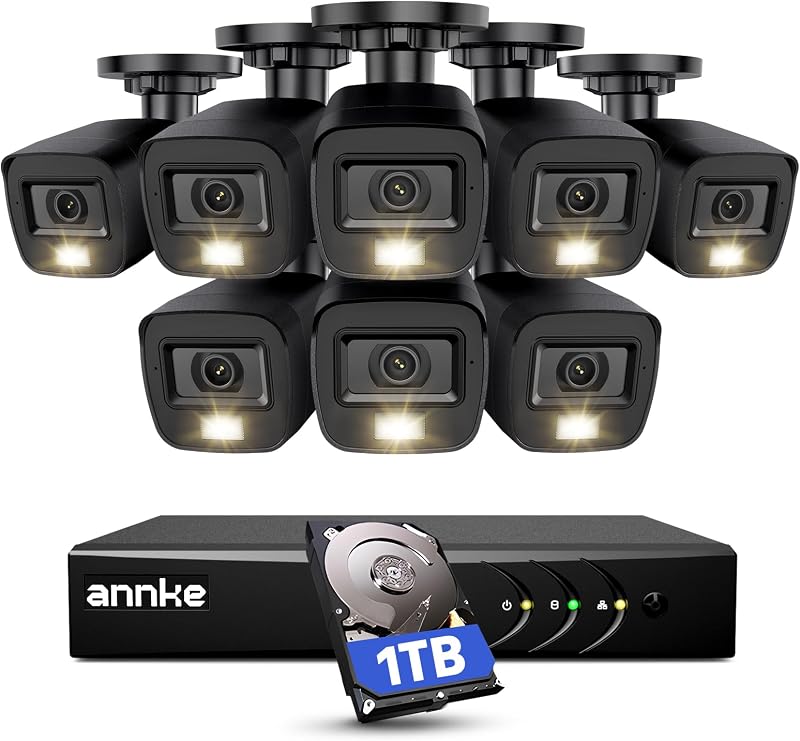
The AI Human Vehicle Detection package is an 8-channel H.265+ surveillance DVR system paired with eight 2MP outdoor cameras, IP67 weather resistance, smart dual light, color night vision, and an integrated 1TB hard drive. This complete CCTV system suits buyers who want a fully wired, high-capacity perimeter setup with out-of-the-box terabyte storage rather than managing individual wireless hubs and thumb drives.
H.265+ 8 Channel Surveillance DVR
4.7 out of 5, average from Amazon buyers
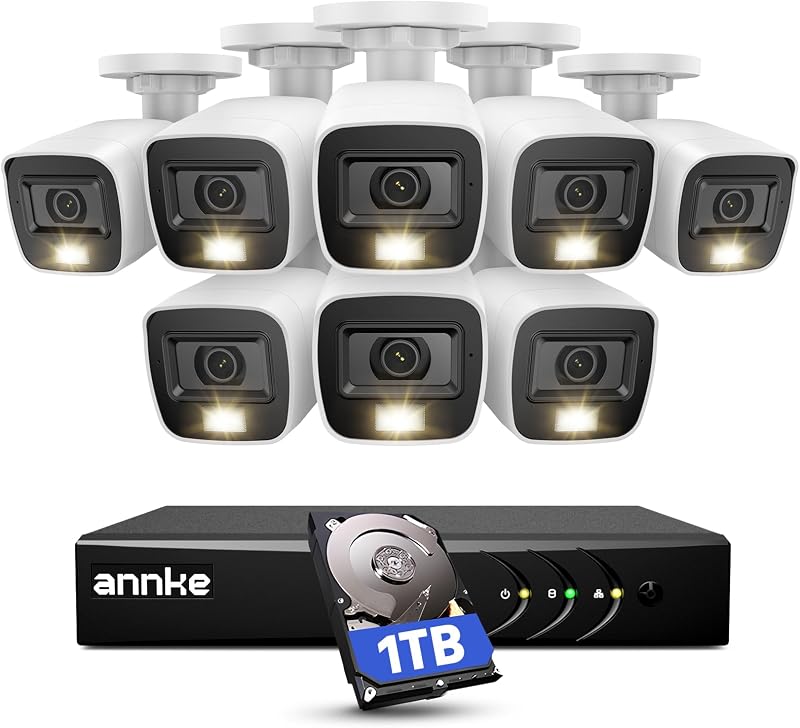
The H.265+ 8 Channel Surveillance DVR security system features an 8-channel recorder with eight 1080p HD outdoor cameras, smart dual light, color night vision, AI human/vehicle detection, and a pre-installed 1TB hard drive. Property owners who want continuous, non-stop wired recording across eight independent angles without relying on battery-powered units or secondary USB flash drives should consider this commercial-style package.
Final Verdict
The Blink Sync Module 2 delivers exceptional value for families seeking a streamlined, subscription-free path to residential video surveillance. By pairing seamlessly with compatible Blink Indoor, Outdoor, Mini, and Video Doorbell devices, the module establishes a reliable bridge between motion-activated cameras and physical USB storage. For cost-conscious households, eliminating monthly cloud fees while retaining the ability to review clips inside a polished mobile app makes this hardware investment an easy choice.
While the absence of live view recording and the lack of local storage support for legacy XT series hardware represent clear operational boundaries, the hub excels at its core mission. If you want an accessible, low-maintenance hub that preserves up to 256 GB of security footage directly on your own hardware, the Sync Module 2 stands out as a practical, durable anchor for your home security setup.
FAQ
Does the Blink Sync Module 2 require a monthly subscription?
No. The product listing explicitly confirms that no monthly fees are required to use local video storage functionality when saving motion clips to a compatible USB flash drive.
What size USB flash drive does the Blink Sync Module 2 support?
The module supports USB flash drives with capacities up to 256 GB. The USB flash drive is not included with the module and must be purchased separately.
Can I record real-time live view sessions to my USB flash drive?
No. According to the manufacturer specifications, the Sync Module 2 records and stores motion clips, but it does not support live view recording.
Are older Blink XT and XT2 cameras compatible with local storage?
While the Sync Module 2 can connect legacy XT, XT2, and 1st generation Indoor cameras to the system, local video storage functionality is specifically not compatible with these older models.
How many cameras can connect to a single Blink Sync Module 2?
A single module can connect and manage up to 10 supported Blink devices across Indoor, Outdoor, Mini, Video Doorbell, XT, and XT2 models.